Keep services connected
Plan how workloads, private services and on-premises systems find and reach each other. Treat DNS, addressing and routing as one connected design.
Azure networking
We’re experts in Azure networking. We help you design, build and improve the connections your applications depend on, with clear routing, reliable DNS and security built into the architecture.
A solid network does more than connect resources. It makes services reachable, keeps access controlled and gives your team a clear way to diagnose problems. Get the foundation right before complexity grows.
Plan how workloads, private services and on-premises systems find and reach each other. Treat DNS, addressing and routing as one connected design.
Set clear boundaries between workloads and environments. Allow the traffic you need, inspect it where required and make access decisions explicit.
Understand the dependencies before adding a workload, changing a route or updating a rule. Keep the design, configuration and ownership clear as your network grows.
Network design
Plan the connections, traffic paths and controls your workloads depend on.
Choose a topology, plan IP ranges, and define connections between regions, subscriptions and sites. Account for growth, overlapping address spaces, VPN and ExpressRoute requirements.
Make it clear where traffic goes and how it returns. Review peering, user-defined routes, BGP propagation and inspection paths to avoid unintended bypasses and asymmetric routing.
Define allowed sources, destinations, ports and protocols. Review network, application and NAT rules, their processing order, logging and ownership. Keep changes traceable and remove access that is no longer needed.
Private access
Design name resolution and access controls together, so your teams can connect and troubleshoot with confidence.
A private connection is only useful if clients resolve the right address. We design DNS so private services can be found reliably from both Azure and your on-premises environment.
Set clear boundaries for what can connect, and give your team a way to see when traffic is allowed, blocked, or failing.

Network topology
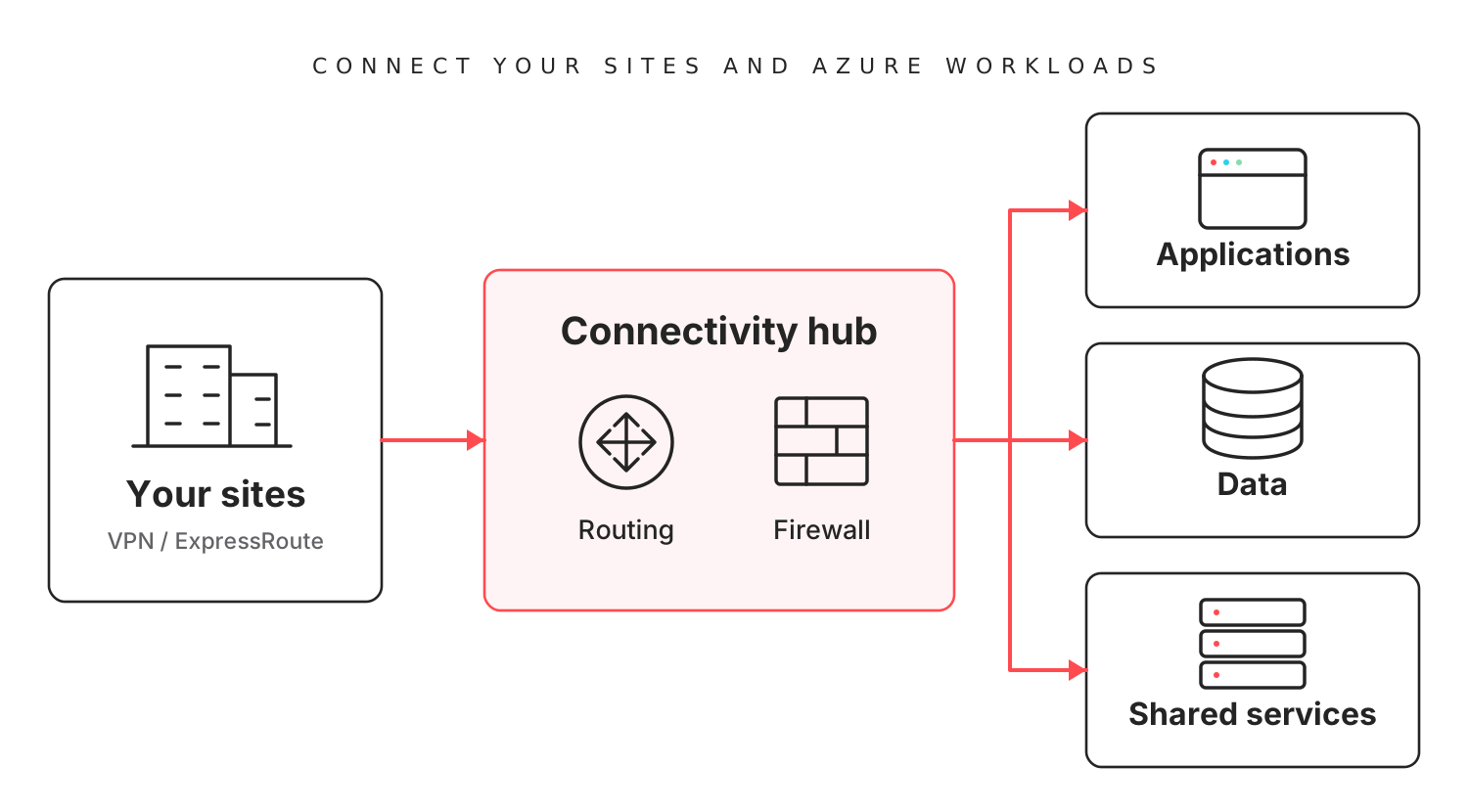
We often start with Azure Virtual WAN. It simplifies routing and works naturally with Azure Firewall. For more tailored requirements, we design a hub-and-spoke network.
Our usual starting point
Bring your sites, security and workloads together.
When you need more control
A tailored hub for specific integrations and network requirements.
We choose the architecture around your connectivity, security, resilience and cost requirements.
Firewall architecture
The product is one part of the decision. Its placement, traffic paths, rules and day-to-day management matter just as much.
Working together
Start with a review, a specific connectivity problem or a new architecture. We agree the scope and work with your platform, network and security teams through implementation and handover.
Map workloads, sites, address ranges, DNS dependencies and traffic flows. Identify the constraints, risks and operational needs.
Compare topology and firewall options. Define routing, name resolution, security boundaries, resilience and ownership before building.
Implement the agreed design with repeatable configuration. Test name resolution, allowed and blocked connections, return paths and the agreed failover scenarios.
Walk through the architecture diagrams, address plan, DNS design, routes and firewall policies. Deliver the agreed code, monitoring guidance and operating documentation.
FAQ
Yes. We can start with the network you already have: its topology, IP ranges, DNS, routing, firewall rules and hybrid connections. We help identify what needs attention and agree practical changes with your team.
No. Virtual WAN provides Microsoft-managed hub connectivity and routing, while a customer-managed hub gives you more control over its components. The right choice depends on your sites, regions, security integrations, costs and the team operating the network.
We can assess how it fits your Azure design and work with your team or vendor on the supported deployment model. We consider availability, routing, licensing, management and inspection requirements. Appliance configuration and migration responsibilities are agreed in the scope.
An application can have a valid route and still fail if it resolves a service to the wrong address. Private endpoints and hybrid environments make DNS zones, forwarding and client resolver settings particularly important. We design and test name resolution alongside connectivity.
Yes. Networking is part of the Azure foundation, and we can design it alongside identity, governance and platform operations. We also take on standalone networking reviews and improvements to existing environments.
Tell us what needs to connect, what needs to stay separate and where you need help.
Discuss your network